
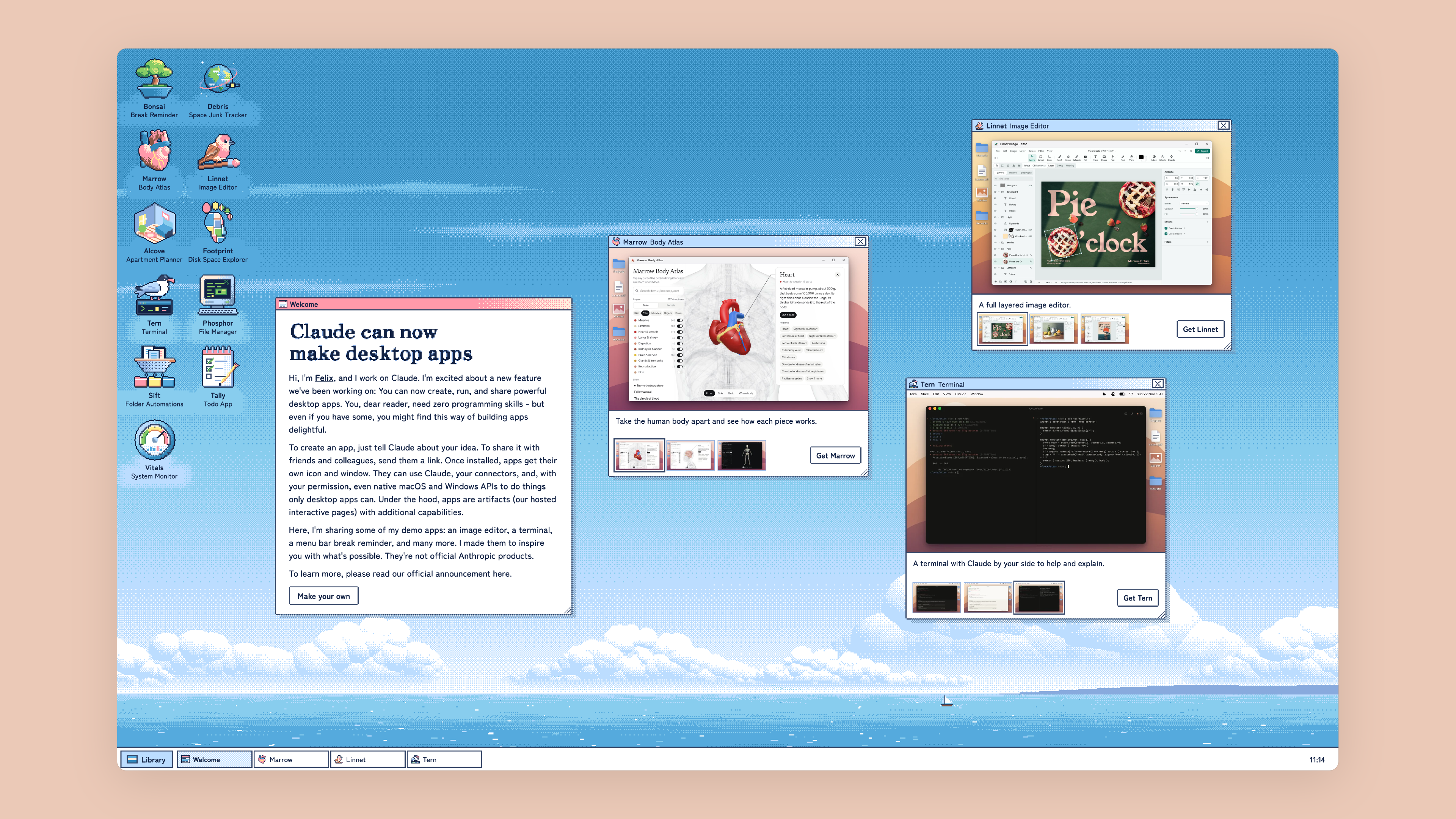
Anthropic has introduced a beta feature called “Install as app” in Claude Desktop for Mac and Windows: artifacts that Claude creates in the chat sidebar can now be installed as standalone desktop applications with their own window and icon. The feature works on all plans, including the free tier, and removes packaging, code signing, and API key configuration from the utility creation process.

What happened
Anthropic launched the beta feature “Install as app” in Claude Desktop version 6.28899.0 and later for Mac and Windows. Documents, dashboards, and interactive tools created by Claude in the chat sidebar can be installed as separate applications with a window and icon. The feature is available on Free, Pro, Max, Ultra, Team, and Enterprise plans: on Team it is enabled by default, while on Enterprise it is disabled until the owner activates it in Organization settings > Artifacts. Installed applications automatically update when the artifact is edited, can send system notifications, be added to the macOS menu bar or Windows tray, and, with explicit permission, run programs and read, modify, or delete files. To run, users must be online and signed into a Claude account, and each artifact update requests permissions again.
Context
Prior to this feature, Claude artifacts existed only within the chat sidebar: turning them into a program launchable from the Dock or tray required a classic desktop software pipeline — packaging, code signing (including an Apple developer certificate), and API key management. Anthropic does not claim a new model, architecture, or training method: the changes concern the delivery layer, which wraps existing artifacts in a native operating system shell. The stated capabilities are confirmed by Anthropic’s documentation but are not accompanied by benchmarks or independent measurements.
Why this matters for the industry
Anthropic is effectively removing classic steps from the desktop software development pipeline — packaging, code signing, and API key management — turning a chat with a model into a constructor for desktop applications that live in the Dock or tray and update dynamically. For production engineers, this simplifies prototyping and internal utilities, but it does not give startups a new defensible position: all value remains within the Claude platform, and the application does not work without an online account. Competition is shifting toward platforms that give AI agents direct access to the operating system, raising trust issues: applications are not reviewed, and the “Full access” mode allows a program to read and modify files without repeated prompts. For startups selling simple desktop utilities as a product, their value could be nullified with a single click, while for Anthropic, the feature strengthens subscription retention and stickiness.
Why this matters for users
Any Claude subscriber, including those on the free plan, can ask the model to create, for example, a Pomodoro timer in the menu bar, a photo renamer, or a terminal with hints, click “Install as app,” and get a local application without writing a single line of code. The barrier to entry drops sharply: no packaging, signing, or API keys are needed. The main limitation for users is security: one should not grant “Full access to this computer” to applications created by others, as Anthropic explicitly warns that such applications are not checked before installation.
What is still unknown / limitations
The feature is in beta, and there is no data on latency, limits, or SLA, so it is not yet an option for production-critical tasks. Applications require online access to a Claude account and do not work autonomously. Quality and reproducibility cannot be assessed: there are no metrics, evaluation protocol, or comparison with alternatives — only a feature description in the documentation and secondary retellings. Independent security reviews of unreviewed applications are currently absent, and the stability of auto-updates and the model’s permission behavior still need to be tested in practice.
Sources
- Anthropic: Turn artifacts into Mac and Windows apps
- Claude Help Center: Install an artifact as an app
- MacRumors: Claude Now Lets You Install Artifacts as Desktop Apps
Author
Look at AI, editorial team