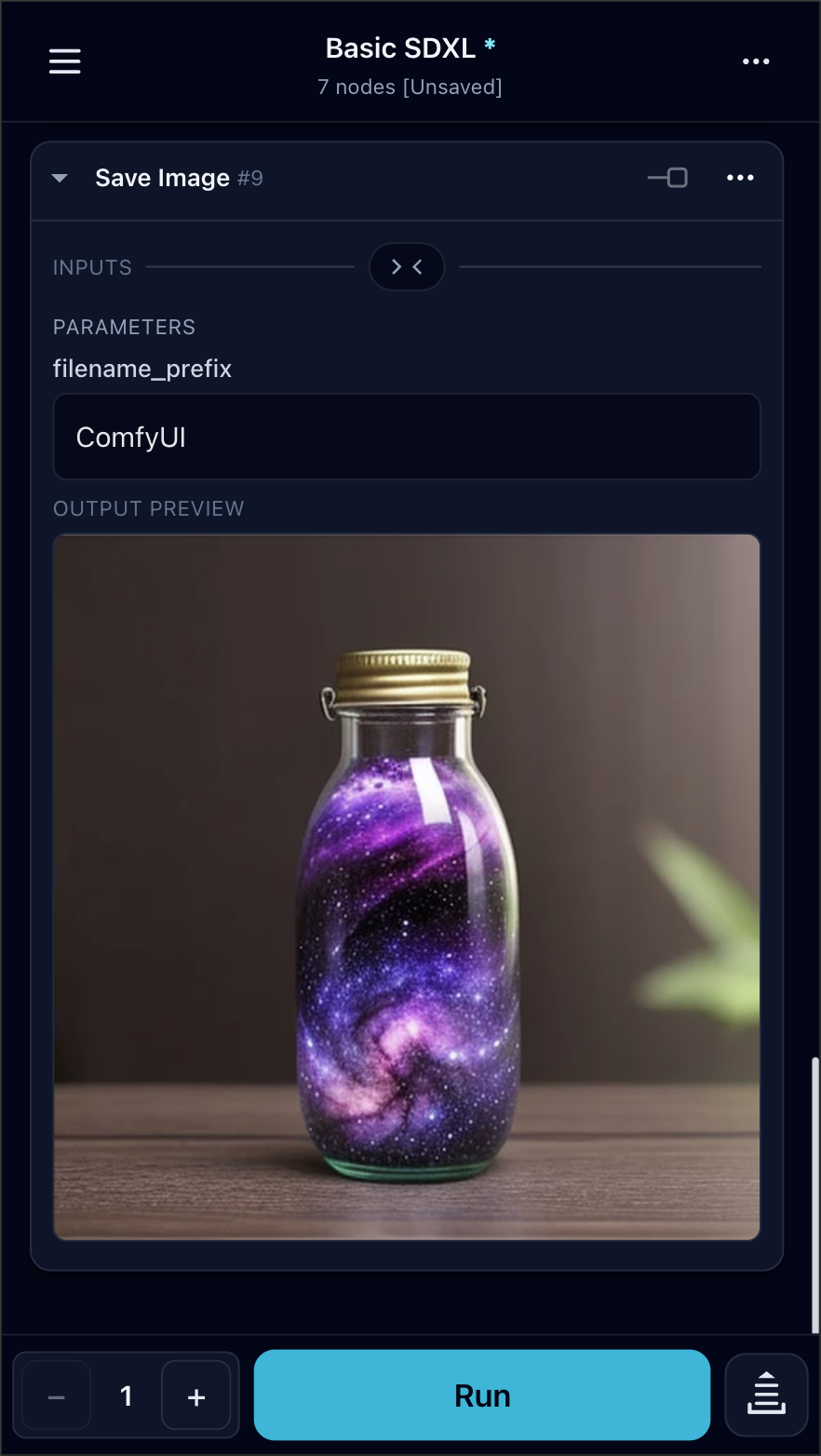
Developer cosmicbuffalo released ComfyUI Mobile Frontend v3.1.3 — a custom node that gives ComfyUI users a full mobile UI for managing generation from their phone. The project has gathered 63 stars on GitHub and 3.4 thousand downloads in the official ComfyUI registry. In parallel, the native iOS app CueForge with extended capabilities for iPhone was announced.
What happened
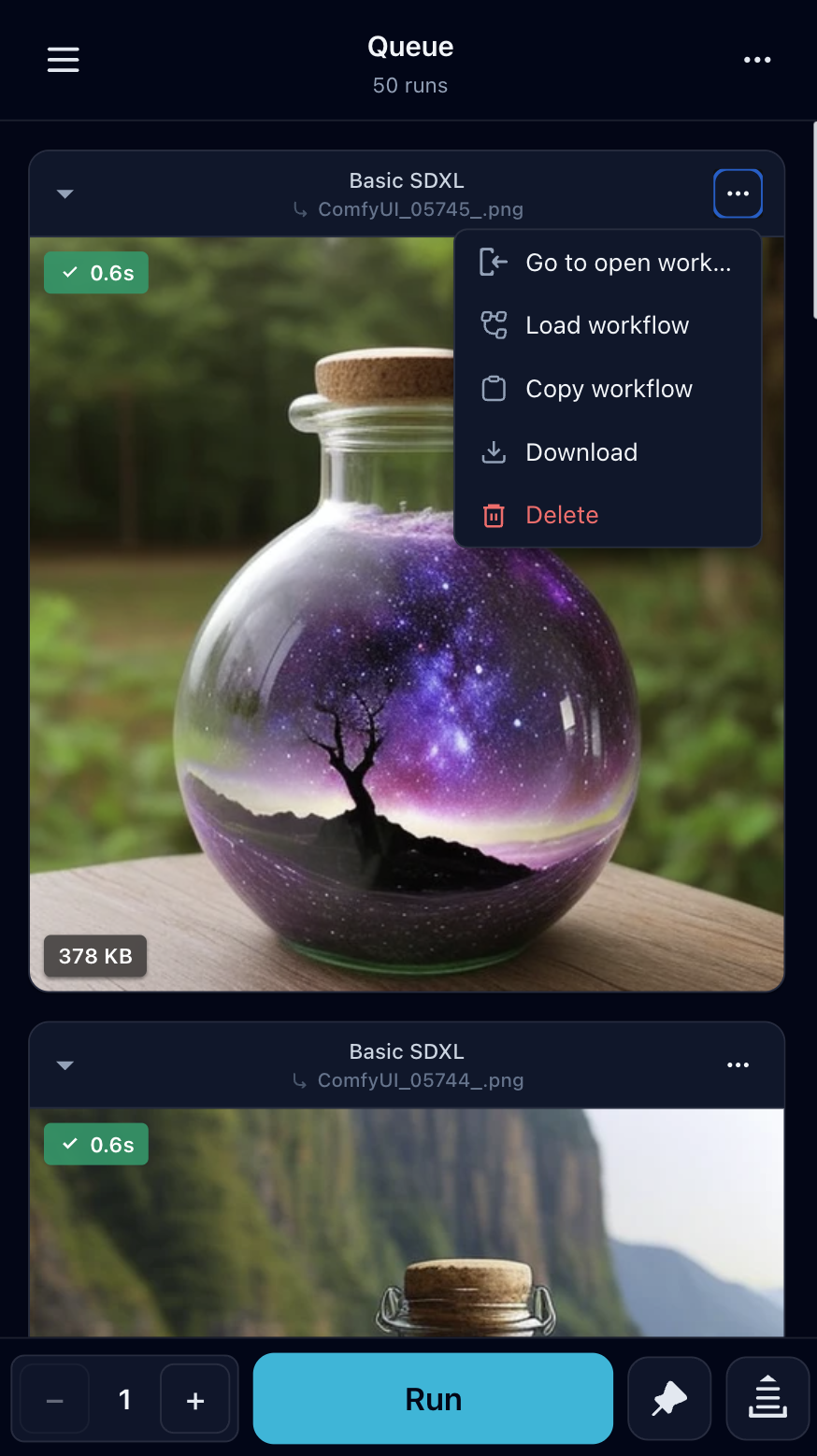
On August 12, 2026, the v3.1.3 release of ComfyUI Mobile Frontend was released — an open-source custom node for ComfyUI that replaces the standard desktop graphical interface with a mobile-oriented UI. The interface is available at the /mobile route on a running ComfyUI server. The release includes a workflow editor, media viewer, custom node manager with ComfyUI Manager integration, support for VHS, Video Oasis, and Deno Video Compare video nodes, as well as push notifications. Installation is performed by running the git clone command in the custom_nodes folder. At the same time, the developer announced the native iOS app CueForge (cueforge.dev) with Tailscale, Live Activities, and push notifications via APNs. Pricing model: a free tier for one server, Pro — $3.99 per month or $24.99 per year.
Context
ComfyUI is one of the main platforms for working with generative AI models, focused on building graph-based workflows. Before the emergence of mobile frontends, managing ComfyUI required a desktop browser, making it impossible to monitor and start generation from a phone. ComfyUI Mobile Frontend solves exactly this UX problem: the project does not contain new ML models or architectures, but is a UI layer on top of the existing ComfyUI API. Since January 2026, more than 30 releases have been released, indicating a high iteration speed and an active community. The project is distributed under the MIT license.
Why this matters for the industry
The project demonstrates a working strategy for monetizing the open-source ecosystem: a free MIT frontend for broad access and a paid native iOS app CueForge with additional features (Tailscale, Share Sheet, Live Activities). For startups and developers in the AI tools space, this is a signal — a mobile layer over AI infrastructure can become a standalone product. Integration with LoRA Manager, Video Helper Suite, and Impact Pack wildcard nodes expands coverage: the mobile UI becomes not just a monitor, but a full environment for managing ComfyUI's custom node ecosystems. The pattern can be transferred to other graph-based AI tools, such as WebUI or DiffusionBee.
Why this matters for users
If you run ComfyUI on a home GPU server or in the cloud — you can now manage generation entirely from your phone. Installation: git clone in custom_nodes, restart the server, access via http://IP:8188/mobile. From the mobile interface, you can edit and run workflows, view generation results, install custom nodes via ComfyUI Manager, and receive push notifications when the processing queue is complete. For iPhone owners, CueForge is available with a native experience, Tailscale support for secure connections to home servers, and Live Activities on the lock screen.
What is still unknown / limitations
The project simplifies the interface to an already running ComfyUI server, but does not eliminate basic requirements: the user still needs a GPU server, a configured Python environment, and an understanding of graph-based workflows. This is not a lowering of the barrier to entry into generative AI, but merely a replacement of the desktop UI with a mobile one. The project does not affect inference latency, model quality, or reproducibility of results. CueForge is currently only available for iOS — there is no Android version.
Sources
- cosmicbuffalo/comfyui-mobile-frontend — GitHub
- CueForge — ComfyUI on iPhone
- ComfyUI-Mobile-Frontend v3.1.3 — ComfyUI Registry
Author
Look at AI, editorial team