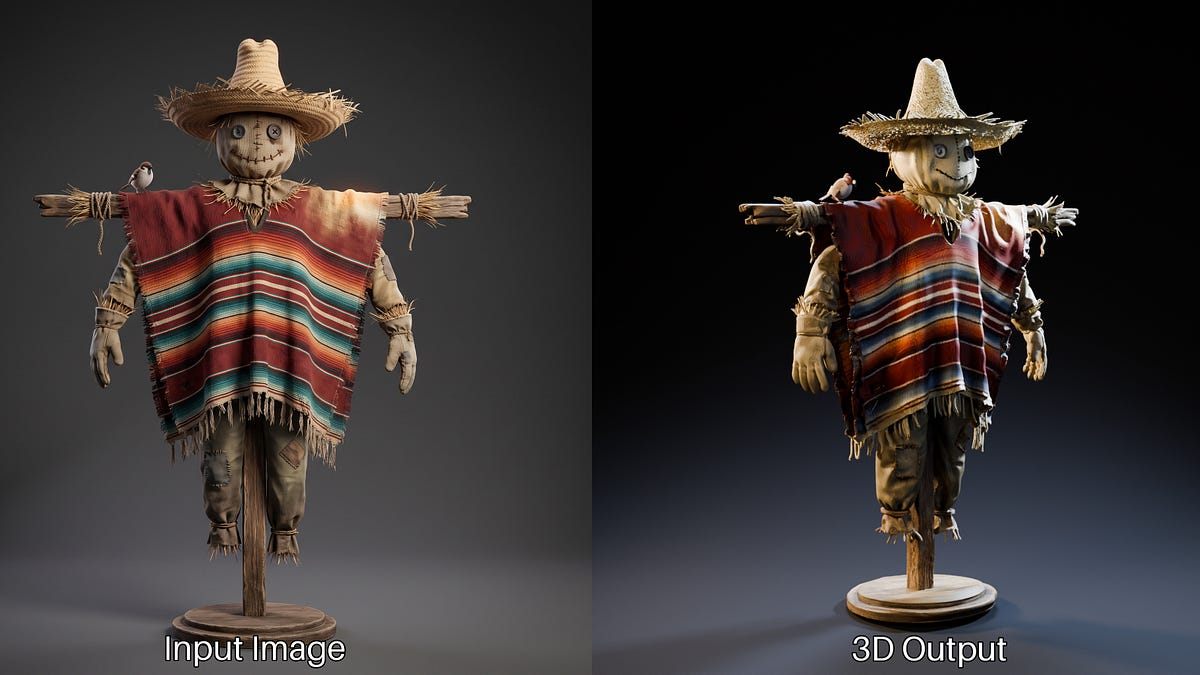
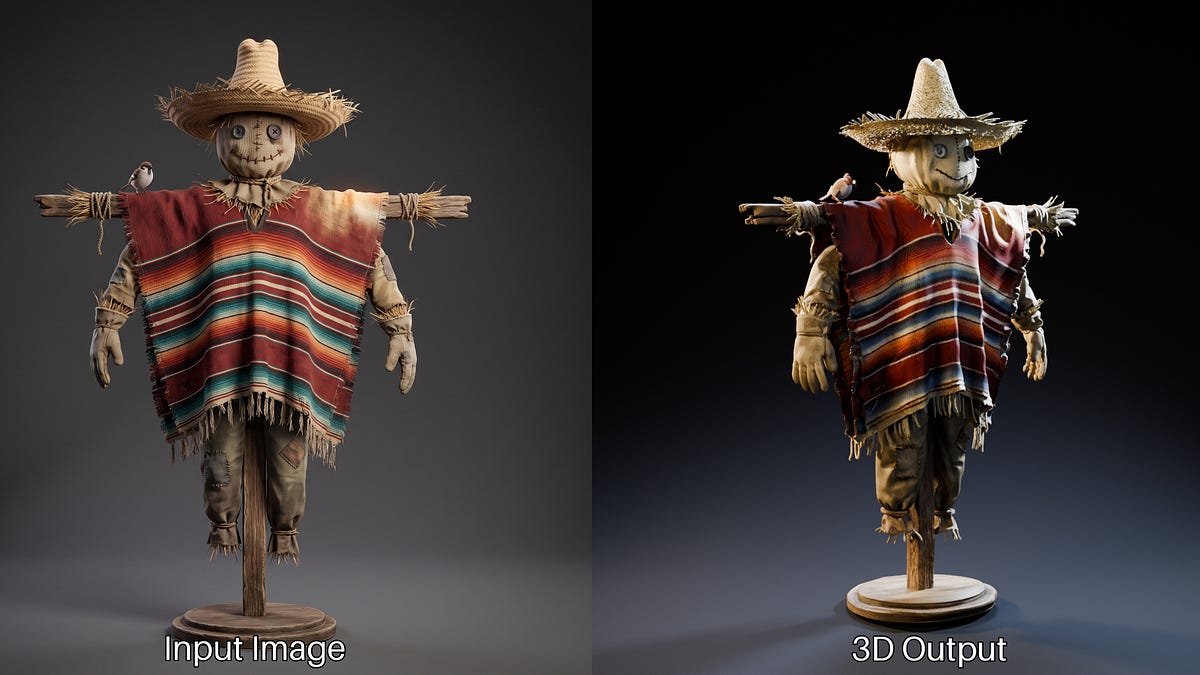
ComfyUI versions 0.34.0 and later have integrated two open 3D models into the core — Microsoft's Trellis.2 and Pixal3D from Tsinghua University and Tencent ARC Lab. Generating a 3D model with PBR materials from a single image has become a standard feature of the tool: without custom nodes, manual CUDA extension builds, or licensing restrictions for commercial use.
What happened
The ComfyUI 0.34.0+ core includes native nodes for two models. Microsoft's Trellis.2 contains 4 billion parameters, generates geometry and PBR materials from a single image, supports effective resolution up to 1536³, and uses the O-Voxel representation; its code and weights are distributed under the MIT license. Pixal3D from Tsinghua University and Tencent ARC Lab was accepted to SIGGRAPH 2026, is built on the Trellis.2 backbone, and provides pixel-aligned generation, where the 3D model strictly matches the input image. Along with the models, ComfyUI received revamped Load, Preview, and Save 3D nodes, mesh post-processing tools — remesh, decimation, smoothing, hole filling, painting, merging — and a full PBR set: base color, roughness, metallic, UV unwrapping, plus baked normal and ambient occlusion maps.
Context
Previously, a similar image-to-3D pipeline in ComfyUI was assembled manually: it required custom nodes, compiled CUDA extensions — flash-attention, FlexGEMM, O-Voxel kernels, CuMesh, nvdiffrast — and an exact environment downgrade to PyTorch 2.6.0 and CUDA 12.4. NVIDIA components, primarily nvdiffrast and nvdiffrec, were distributed under a non-commercial Source Code License, which put the commercial use of generation results in a licensing gray area. Trellis.2 had previously been released by Microsoft with open code and weights, and the fact that Pixal3D is built on its backbone indicates an ecosystem forming around the model. The key change in this release is not a new scientific result, but the packaging of open 3D models into a mainstream node-based tool.
Why this matters for the industry
For the industry, image-to-3D is ceasing to be an experimental niche with fragile infrastructure. A working pipeline with PBR materials is now installed with ComfyUI itself, and the MIT license of Trellis.2 and the move away from NVIDIA components with a non-commercial license remove two main barriers: manual building of CUDA dependencies and the licensing gray area for commercial asset production. This immediately opens up monetization — product catalogs, game prototypes, asset libraries — and increases the likelihood that ComfyUI's native nodes will become the de facto standard for 3D in working files, around which new models on the Trellis.2 backbone, 3D workflow marketplaces, and SaaS wrappers will appear.
Why this matters for users
The reader only needs to update ComfyUI to 0.34.0+, download the weights and workflow files from the official template library — one image turns into a ready 3D mesh with PBR materials, UV unwrapping, and baked normal and ambient occlusion maps. The need to install custom nodes, compile CUDA extensions, and pick an environment for specific Python, PyTorch, and CUDA versions disappears. Official tutorials for both models are published on docs.comfy.org.
What is still unknown / limitations
The original source does not contain benchmarks: there are no metrics for geometry and texture quality, comparison with other models, generation speed measurements, or VRAM requirements, so the phrases "two best open 3D models" and "strongest open pipeline" remain the author's assessment, not a confirmed fact. The actual quality of meshes at the claimed 1536³ resolution will only be verified after independent quantitative comparisons.
Sources
- Trellis.2 and Pixal3D Are Now Native in ComfyUI (ComfyUI Newsletter, Alexis Rolland)
- ComfyUI Docs: Trellis.2 3D tutorial
- ComfyUI Docs: Pixal3D 3D tutorial
Author
Look at AI, editorial team