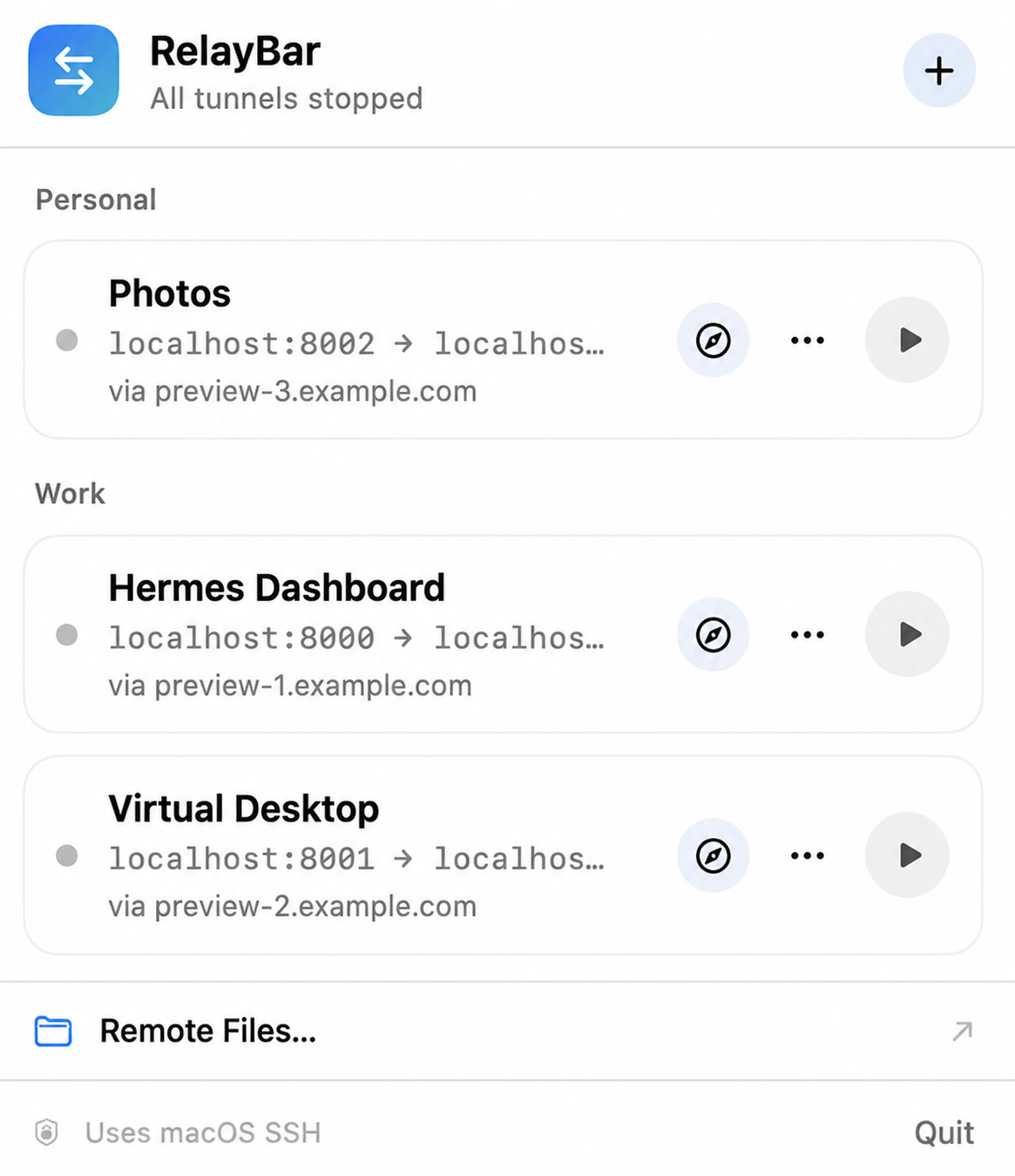
RelayBar (v1.2.1) has been released — a specialized native macOS application that allows you to manage SSH tunnels and browse remote files via the menu bar. The tool is designed to simplify interaction with remote infrastructure by turning text-based file paths into an interactive visual interface.
What Happened
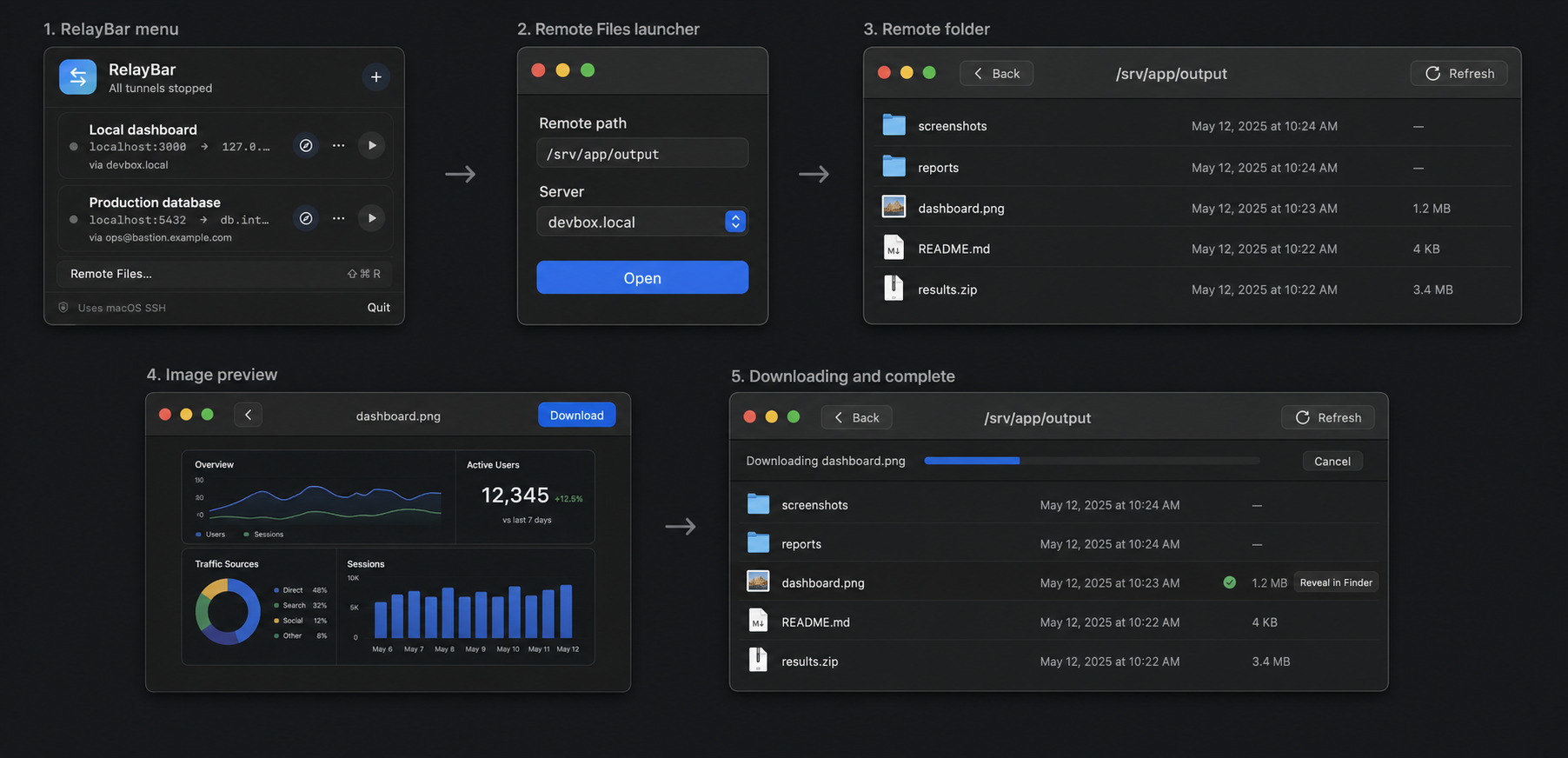
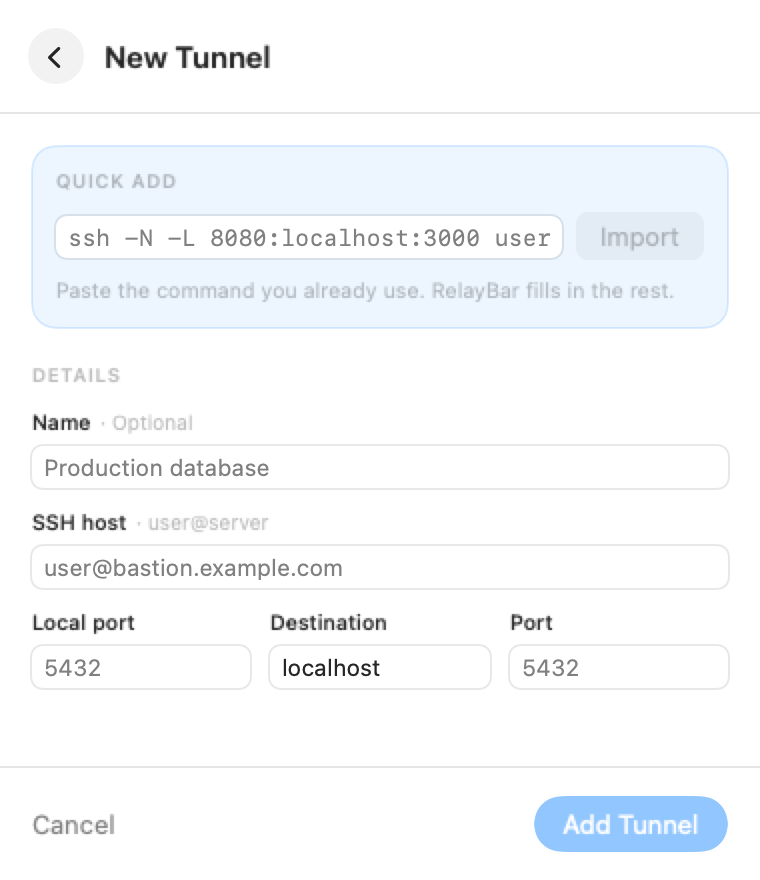
Developers have introduced RelayBar (v1.2.1), which integrates into the macOS menu bar. The application allows users to convert SSH commands (port forwarding) into ready-to-use profiles and open remote folders via SFTP. Unlike heavyweight solutions, RelayBar utilizes the system utilities /usr/bin/ssh and /usr/bin/sftp, while maintaining the user's existing keys and configurations.
Context
Traditional work with remote servers requires using a terminal or mounting network drives, which can be overkill for quick data checks. With the development of AI agents—which often output text-based paths to logs, reports, or graphs—there is a growing need for a fast way to visualize these artifacts without switching context to a full-fledged terminal.
Why It Matters for the Industry
This release demonstrates a growing trend in the micro-utility market and specialized native tools built on SwiftUI. This direction fills UX gaps between autonomous AI agents and the human management interface, forming new 'Agent-Friendly UX' patterns.
Why It Matters for Users
For developers and ML engineers, this means the ability to instantly preview Markdown documents and images generated by remote processes directly from the menu bar. This significantly accelerates the analysis cycle for results produced by AI agents or remote scripts, eliminating the need to mount drives or keep terminal windows constantly open.
Uncertainties / Limitations
In the long term, similar features may be integrated directly into IDEs or modern terminals, potentially reducing the demand for standalone micro-utilities.
Sources
Author
Look at AI, Editorial Team