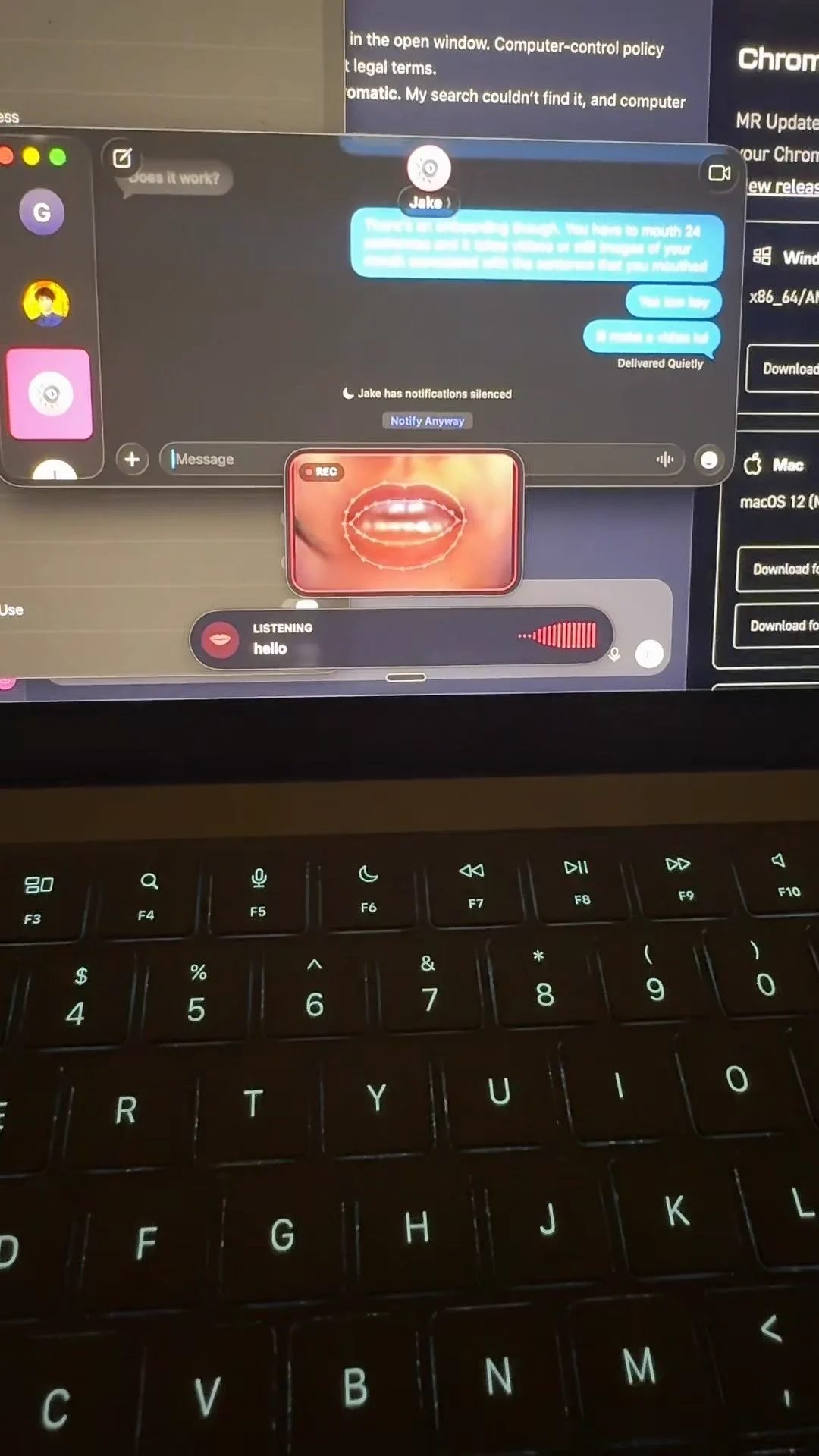
Developer amypretzel released Lipflow in open access in October 2026 — a Mac app for Apple Silicon that types text while the user silently mouths phrases in front of a webcam. All processing, from lip-reading to language post-processing, is performed on the device itself, unless a cloud model is enabled for final text editing. In terms of maturity, this is a research project, not a product: the current version has specific limitations in language and accuracy.
What happened
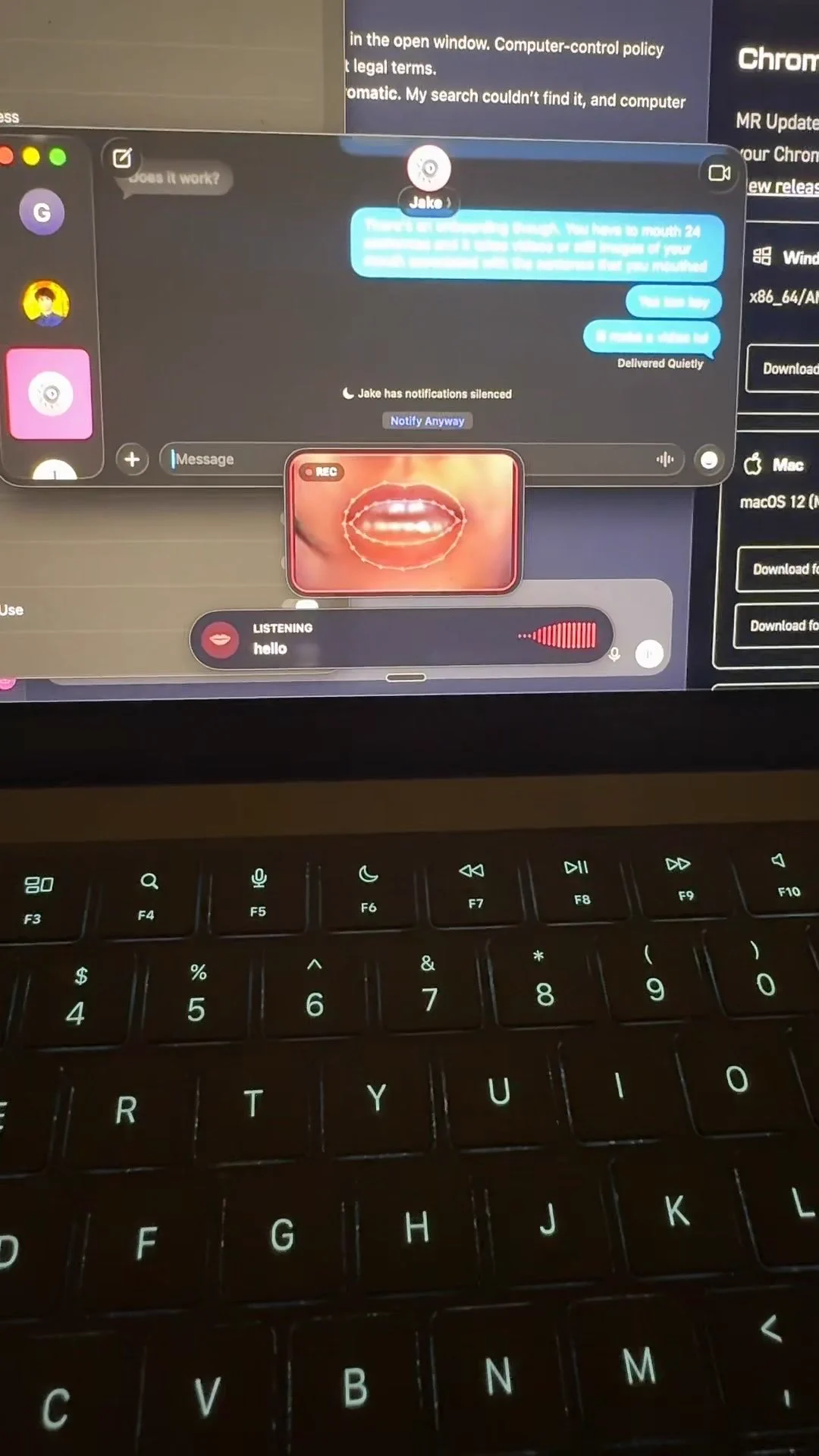
amypretzel talked about the project in a post on X (Twitter), and the GitHub repository amywork777/lipflow was created on September 30, 2026, and is distributed under the MIT license. The workflow is as follows: the user holds down the right Option key, silently articulates a phrase, the webcam captures lip movements, and the recognized text is inserted at the cursor position. Inside, it's a pipeline of ready-made components: MediaPipe FaceLandmarker crops mouth frames of 96×96 at a frequency of 25 fps, which are processed by the visual speech recognition model Auto-AVSR, then a local beam search refines the result. Final editing is performed by a language model: by default claude-opus-5-5, but a local Qwen3-0.6B 4-bit via MLX (about 350 MB), a model via Ollama (qwen3:4b), or offline rules are available. On an M4 Pro, text appears in less than a couple of seconds.
Context
There is no scientific novelty in Lipflow: the project is assembled from existing open components, but it is valuable precisely as an engineering assembly, because it shows that lip-reading with on-device personalization already works on a consumer Mac. Auto-AVSR is a well-known audio-visual speech recognition model trained on the LRS3 dataset, and in tests with voiced speech it achieves 19.1% WER (word error rate). The key nuance is in the error distribution: in silent mouthing, accuracy degrades to about 31.9% WER, while the hybrid Auto-AVSR mode "lips plus audio" with quiet whispering reduces the error to 6.9%. The second key idea is local personalization: on first launch, you need to silently say 24 sentences, after which the lip reader is fine-tuned to your face, the language model — to your speech style, and all of this is computed on the Mac's GPU.
Why this matters for the industry
For the industry, this is a working counterexample to the thesis that visual speech recognition and on-device fine-tuning of models remain a laboratory story: the MediaPipe, Auto-AVSR, and local beam search pipeline is assembled and works on an ordinary consumer Mac. The pattern "short calibration for the user plus a local language model plus import of dictation history" is a ready-made recipe for personalization for dictation tools: Wispr Flow is used directly here, Lipflow pulls its local history to better guess phrases and names. You can't build a business on the project: the model weights from LRS3 are only allowed for non-commercial use, and there is no monetization in Lipflow. The value for teams is in the local personalization scheme itself, which can now be cloned and studied.
Why this matters for users
If you have a Mac on Apple Silicon with macOS 13 or newer, the project can be tested for free in one evening: git clone, then ./setup.sh, which downloads about 1.2 GB of models, and about eight minutes of calibration. Then you hold down the key, silently articulate a phrase — and the text is typed at the cursor position. Honest expectations: only English is recognized, and the author herself admits that the purely silent mode is unstable, estimating the accuracy as "50/50", so the hybrid mode with quiet whispering is the most practical, where the result is noticeably more reliable.
What is still unknown / limitations
All accuracy figures are the author's: there are no independent WER measurements and checks on different users before and after calibration in the project, so the real benefit from personalization is not measured. A separate risk is the connection with the language model: it can turn uncertain lip-reader hypotheses into plausible but incorrect text, because reducing errors relative to machine transcription is not the same as reducing errors relative to the speaker's intention. Finally, the accuracy readings were obtained in the author's demonstration, and how the pipeline behaves in other scenarios for other users is still unknown.
Sources
- Lipflow GitHub repository (amywork777/lipflow)
- @amypretzel's post on X (Twitter) about the Lipflow app for lip-movement dictation
Author
Look at AI, editorial team