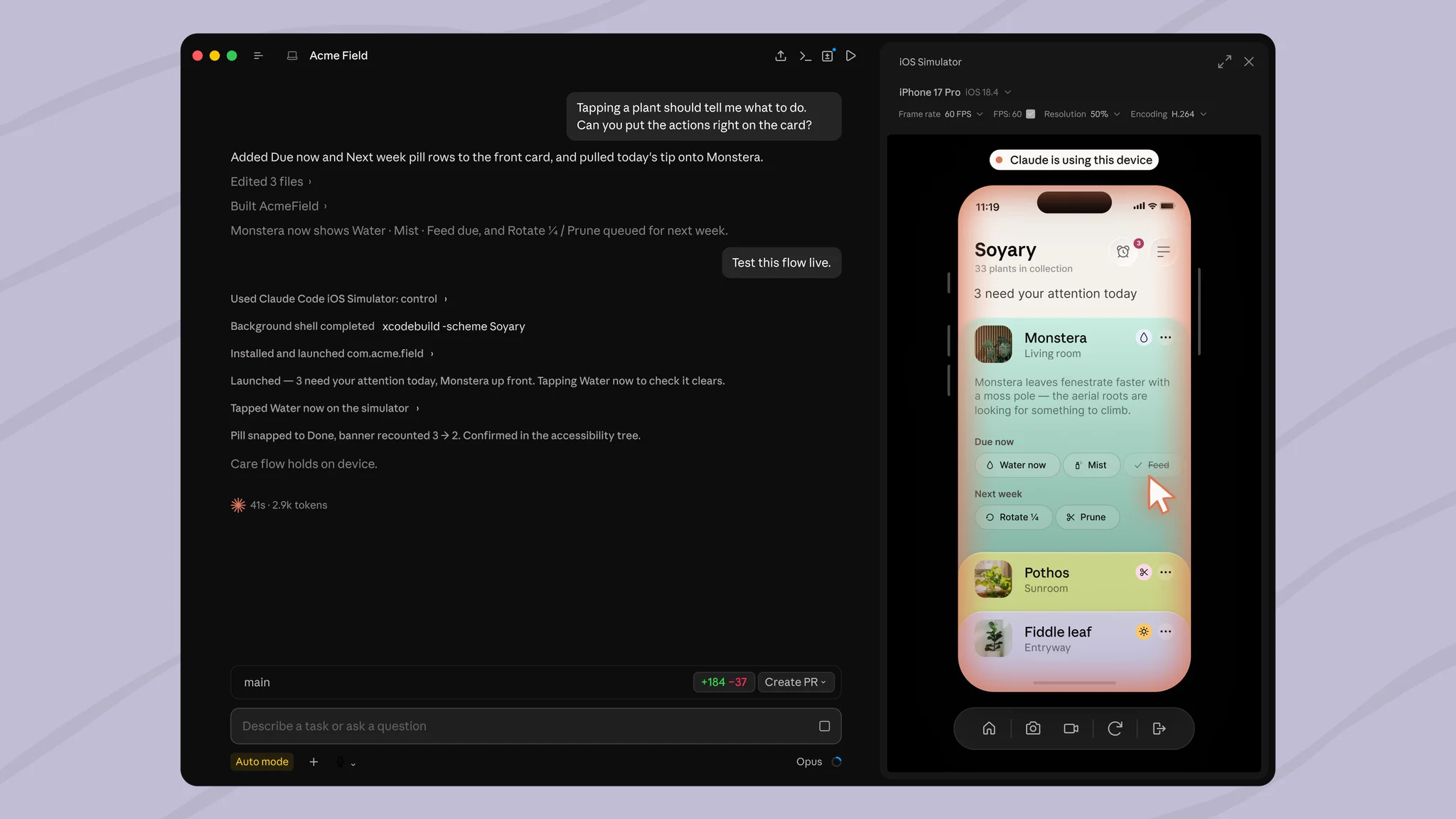
The desktop Claude Code tool has expanded its capabilities by adding iOS simulator support. Developers can now build, run, and visually verify mobile applications directly within the tool's interface, where the simulator is displayed in a separate panel alongside the chat.

What Happened
As part of the public beta testing for desktop Claude Code, integration with the iOS simulator has been introduced. This allows users to carry out the development cycle directly within the agent's workspace: writing code, running the application, and instantly seeing the results in a separate window next to the chat.
Context
The evolution of development tools is moving from simple code generators toward multimodal AI agents. A key stage in this transition is the creation of a closed "write—run—verify" loop (visual feedback loop), where artificial intelligence gains access not only to the code text but also to the runtime execution environment.
Why It Matters for the Industry
For the industry, this represents a critical transition from text-based assistants to full-scale AI Software Engineers. Integrating the runtime environment directly into the development loop allows agents to perform real-time visual and functional verification of mobile applications, setting a standard for autonomous AI agents in the field of Mobile DevOps.
Why It Matters for Users
Mobile developers using Claude Code in beta can significantly accelerate the prototyping and UI debugging process. Integrating the simulator directly into the agent's interface shortens the feedback loop, eliminating the need to constantly switch between an IDE and external testing tools.
What Is Currently Unknown / Limitations
This functionality is currently only available in public beta.
Sources
Author
Look at AI, Editorial Team